
Give every client their own dashboard
Agencies, software companies and service firms put live reporting in front of clients, each seeing only their own data.
Before
- Each client gets a hand-made report, and each one takes hours.
- Clients ask for numbers between reports, by email.
- Building reporting into your own product would take months.
With PlexBI
- Clients check live numbers whenever they like.
- One dashboard serves every client, so a change is made once.
- Reporting becomes part of what you offer, not extra work.
How it works
Build one dashboard for all clients
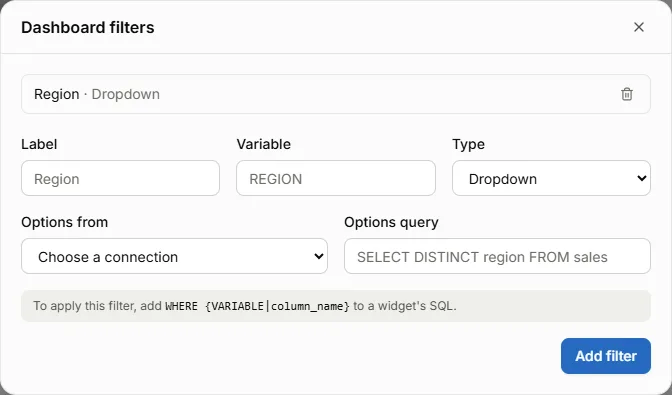
Add a client filter, so the same dashboard works for every client.
Embed it where clients already go
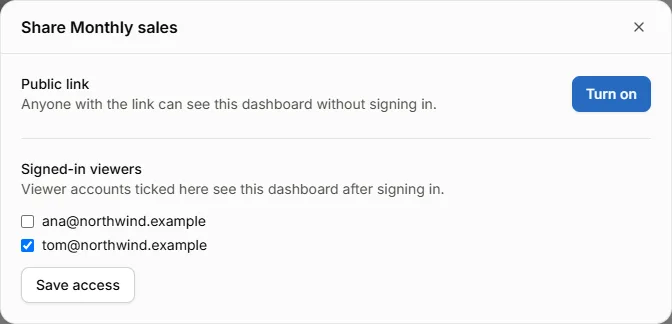
Paste the embed code into your website or client portal, or share a link you can turn off at any time.
Lock each client to their data
Signed links can require the client filter, so a client only ever sees their own rows, even if they change the link.
Make it look like yours
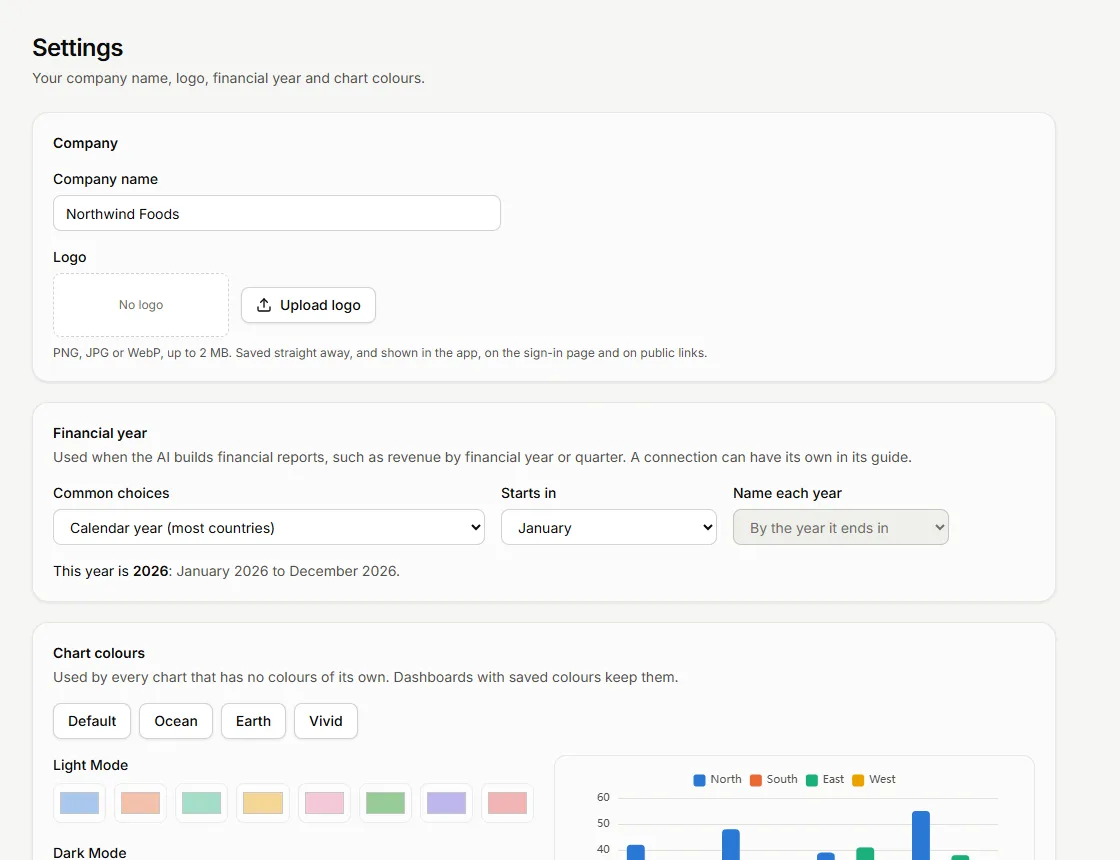
Your logo and colours, so the reporting feels part of your service.
Step by step in the guide
Other teams
Stop building the sales report every Monday
- Before
- Every Monday, someone copies numbers into a spreadsheet and emails it round.
- With PlexBI
- The sales dashboard lands in the inbox first thing Monday, each rep sees their own region, and an alert fires if revenue drops below plan.
No more spreadsheet Mondays.
Catch problems while you can still fix them
- Before
- A stuck order is found days later, when the customer calls.
- With PlexBI
- A trigger checks every 15 minutes and sends new stuck orders to the warehouse on WhatsApp or Teams, with the list attached.
Problems reach you the same hour.
Month-end numbers from one place, not five
- Before
- Month-end means pulling numbers from several systems and spreadsheets.
- With PlexBI
- Actuals and targets on one dashboard, filtered by financial year, exported as Excel with one sheet per chart.
One version of the numbers.
Hosted and set up for you
Start turning your data into answers
Try PlexBI free for 7 days on your own database.
Which region grew fastest this quarter?Start free trial- No credit card
- Unlimited users
- Hosted for you
- Or talk to us